Google Meet Reactions - fast emoji search

Google Meet Reactions: Reverse Engineering the WebRTC Channel for Emoji

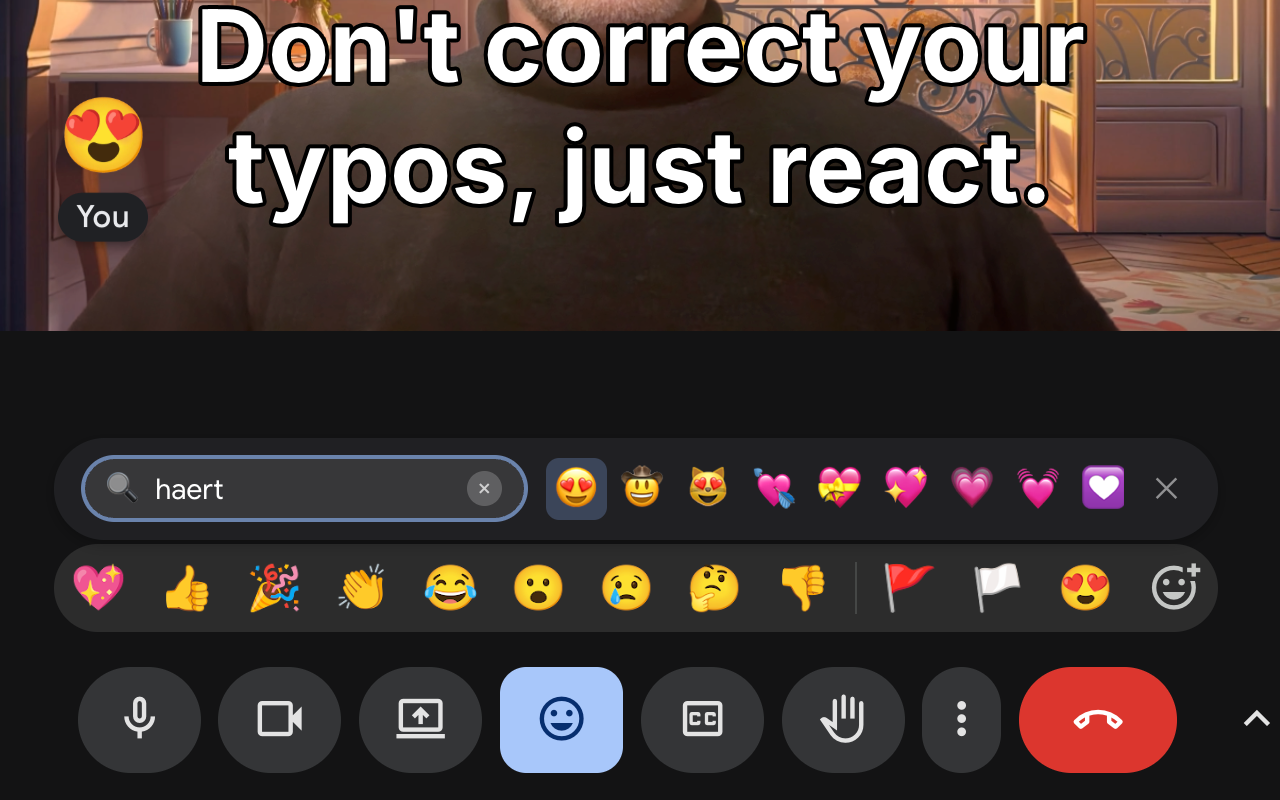
I spend a lot of time in Google Meet — sometimes 3-4 hours a day. Google recently added a ton of new emoji reactions, and we use them actively. But the UX for finding them is… not great. Colleagues keep sending cool new emoji, and I struggle to find that exact one they just used. Of course, an enthusiastic programmer can break improve any UX! The result is Google Meet Reactions, an extension that adds instant search right into Meet’s interface. Most importantly for me — it remembers which emoji I use and which ones my colleagues send, and boosts them in search results. Your browser does not support the video tag. ...

Post · January 19, 2026 · 5 min · Artem Marchenko
Google Meet Reactions extension in action

Reaction Latency: Why I fixed Google Meet's Emoji Bar

I use emoji reactions in Google Meet a lot, but I have a problem with its emoji picker: it is too slow for conversation. When someone drops a bombshell in a meeting, you have about 2 seconds to react. That is the “social window.” If you drop a 🤯 emoji 10 seconds later, it’s awkward. The native Google Meet picker is not built for speed or even convenience. You open it, scan 9 standard emojis, click “More”, and scroll… by the time you find 🚀, the topic has changed. I built Google Meet Reactions to fix this. I wanted the speed of “Type to react” (like Slack), but smarter - it should remember frequently used images and let me search by rough description. And so it does. Try it out: Install from Chrome Web Store: Google Meet Reactions Website: googlemeetreactions.com Project Page: Google Meet Reactions ...

Post · January 12, 2026 · 3 min · Artem Marchenko