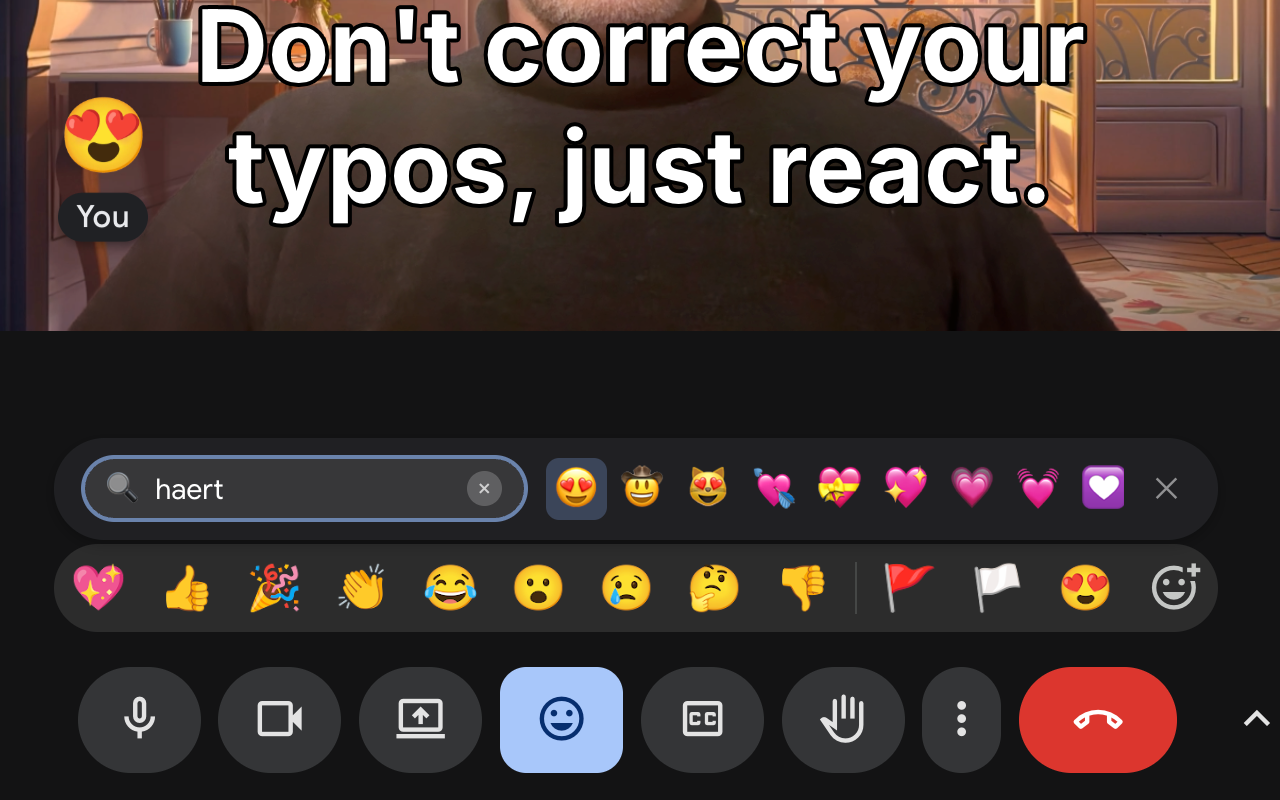
I spend a lot of time in Google Meet — sometimes 3-4 hours a day. Google recently added a ton of new emoji reactions, and we use them actively. But the UX for finding them is… not great. Colleagues keep sending cool new emoji, and I struggle to find that exact one they just used.
Of course, an enthusiastic programmer can break improve any UX! The result is Google Meet Reactions, an extension that adds instant search right into Meet’s interface. Most importantly for me — it remembers which emoji I use and which ones my colleagues send, and boosts them in search results.
From UI to WebRTC
My first thought was simple: find emoji buttons in the DOM, simulate clicks. But Google Meet is heavily obfuscated with class names like .b1bzTb or .VfPpkd-rymPhb, and hunting for the full emoji list in popup depths didn’t seem like a great idea.
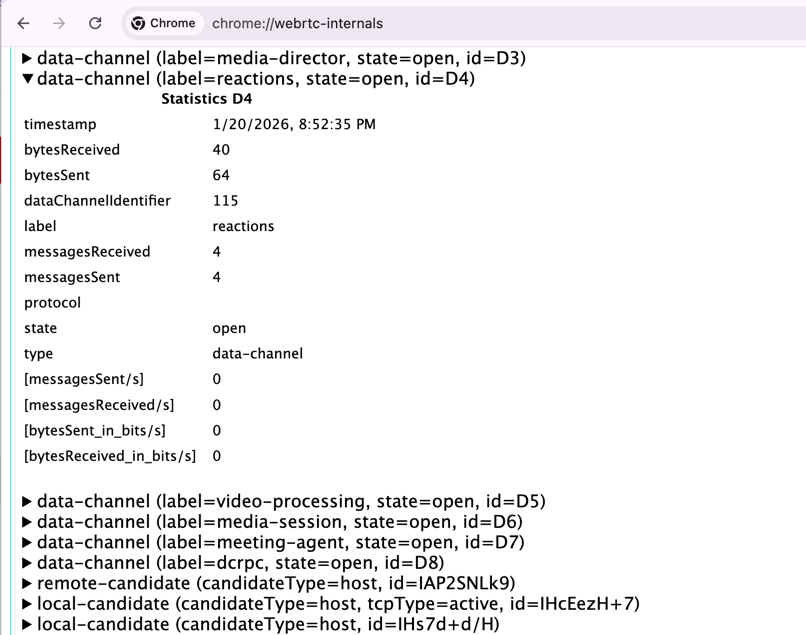
Then I opened chrome://webrtc-internals during a call and spotted something interesting: among dozens of RTCDataChannels, there’s one named “reactions” — and it turns out emoji are sent through it. If I could get a reference to this channel and decode the message format, I could send reactions programmatically.
Intercepting DataChannel Creation
WebRTC DataChannel is created via RTCPeerConnection.prototype.createDataChannel(). Simply patch this method before Meet’s code calls it and save the reference.
const origCreate = RTCPeerConnection.prototype.createDataChannel;

RTCPeerConnection.prototype.createDataChannel = function(label, options) {
  const channel = origCreate.call(this, label, options);

  if (label === 'reactions') {
    console.log('Gotcha!');
    capturedChannel = channel;
  }

  return channel;
};
The idea is simple, but there’s a small problem with code injection.
Injecting Before the Channel Is Used
Chrome extensions can inject code into pages in several ways. Content scripts run in an isolated world and don’t have access to the page’s RTCPeerConnection. You need to inject the script directly into the page context.
The standard approach:
const script = document.createElement('script');
script.src = chrome.runtime.getURL('rtcHook.js');
document.documentElement.appendChild(script);
But script.src = URL requires a network request. By that time, Meet might have already created the “reactions” channel, and my hook would miss it.
The solution is a combination of two things:
runAt: 'document_start'in the manifest — content script runs before DOM loads- The hook script is declared as a
web_accessible_resourceand loads as early as possible
// wxt.config.ts
export default defineConfig({
  manifest: {
    web_accessible_resources: [{
      resources: ['rtcHook.js'],
      matches: ['https://meet.google.com/*'],
    }],
  },
});
In most cases, the hook installs before Meet creates the channel. I assume a race condition is still possible, and I have a fallback UI with a “please refresh” message, but in practice I’ve never seen it happen.
Sending Emoji
Once the channel is captured and open (channel.readyState === 'open'), you can listen to incoming messages and — more interestingly — observe what you send yourself.
The message format turned out to be a fairly simple protobuf with nested length-delimited fields. Here’s how to build and send one:
function buildEmojiMessage(emoji) {
  const emojiBytes = [...new TextEncoder().encode(emoji)];

  // Build nested protobuf from inside out - we just copied the intercepted approach
  // 10 = field 1, wire type 2 (length-delimited)
  // 8 = field 1, wire type 0 (varint), value 2
  const i1 = [10, emojiBytes.length, ...emojiBytes];
  const i2 = [10, i1.length, ...i1];
  const i3 = [8, 2, 18, i2.length, ...i2];
  const i4 = [10, i3.length, ...i3];

  return new Uint8Array([10, i4.length, ...i4]);
}

// Sending is just one line
capturedChannel.send(buildEmojiMessage('🔥').buffer);
Self-Injection
When you send an emoji, you’d like to see it yourself, not just your colleagues. The real Google Meet uses internal code for this, but it turns out you can just trigger the incoming WebRTC message handler with a fake user and fake IDs.
// No real user seems to use device 0, so this won't conflict
const SELF_DEVICE_ID = 'spaces/self/devices/0';
// Looks like you sent it via the regular buttons, at least in the English UI
const SELF_USER_NAME = 'You';

function buildFullEmojiMessage(emoji) {
    const emojiBytes = [...new TextEncoder().encode(emoji)];
    const deviceIdBytes = [...new TextEncoder().encode(SELF_DEVICE_ID)];
    const userNameBytes = [...new TextEncoder().encode(SELF_USER_NAME)];

    // Emoji block: [0a LL emoji] [10 01]
    const emojiBlock = [0x0a, emojiBytes.length, ...emojiBytes, 0x10, 0x01];

    // Field 4 (device info): [0a LL deviceId] [10 01]
    const field4Content = [0x0a, deviceIdBytes.length, ...deviceIdBytes, 0x10, 0x01];
    const field4 = [0x22, field4Content.length, ...field4Content];

    // Field 6 (user info): [0a LL deviceId] [12 LL userName] [18 01]
    const field6Content = [
        0x0a, deviceIdBytes.length, ...deviceIdBytes,
        0x12, userNameBytes.length, ...userNameBytes,
        0x18, 0x01,
    ];
    const field6 = [0x32, field6Content.length, ...field6Content];

    // Build nested structure
    const emojiContainer = [0x0a, emojiBlock.length, ...emojiBlock];
    const innerContent = [...emojiContainer, ...field4, ...field6];
    const inner = [0x0a, innerContent.length, ...innerContent];
    const outer = [0x0a, inner.length, ...inner];

    return new Uint8Array(outer);
}

async function injectToSelf(emoji) {
    if (!capturedChannel) return false;

    const fullMessage = buildFullEmojiMessage(emoji);

    // Compress with gzip
    const cs = new CompressionStream('gzip');
    const cw = cs.writable.getWriter();
    cw.write(fullMessage);
    cw.close();

    const cr = cs.readable.getReader();
    const chunks = [];
    while (true) {
        const { done, value } = await cr.read();
        if (done) break;
        chunks.push(value);
    }
    const compressed = new Uint8Array(chunks.flatMap((c) => [...c]));

    // Wrap with [18, length, gzip_data] (field 2, length-delimited)
    const wrapped = new Uint8Array([18, compressed.length, ...compressed]);
    const fakeEvent = new MessageEvent('message', { data: wrapped.buffer });

    // Meet's client processes the event as if someone else sent the reaction
    capturedChannel.dispatchEvent(fakeEvent);
    return true;
}
And Typo-Tolerant Search Too!
It’s hard to stop at just a couple of essential features. The final extension includes:
- Search across 1900+ emoji with typo correction(!): BM25 + Levenshtein distance
- Personalization: emoji I use or colleagues send get boosted — I can finally send those same reactions my teammates are using
- Works in Picture-in-Picture mode
Unfortunately, the extension only works in meetings with Google Workspace accounts that have Extended Reactions enabled. If the meeting is created from a personal Gmail account, only the standard 9 emoji are available and the extension doesn’t add much value.
Useful?
If you use Google Meet for work, give it a try. Like any side-project author, I’m curious what would be useful to add or what’s unnecessary to remove. What works well? What could be improved?
Links
- Google Meet Reactions — install the extension
- googlemeetreactions.com — extension website
- Project page — more about the project